Practice Software Glossary
The ‘medatixx-Copilot’ draws on an extensive knowledge base comprising the practice software manuals, frequently asked support questions and much more.

Software solution for medical practices, outpatient clinics and medical care centres (MVZ).


The practice software medatixx meets all the requirements for medical software and can be customised to suit your needs. Suitable modules are available for every specialism and organisational structure – you decide which ones you would like to use.

medatixx combines cloud-based data and local systems to create a forward-looking practice organisation. Updates are downloaded quickly and easily via the internet, whilst patient data remains securely stored on your practice computer.

At the heart of the new practice software are functions that meet the basic requirements of every German medical practice: billing, documentation and patient management.

With ‘medatixx’, you can enjoy independence and flexibility thanks to a short contract term. You can install and configure the practice software yourself at any time to suit your needs – online, whenever and wherever you like.
 Go to the manufacturer’s website medatixx (opens in a new window)
It was the first major provider on the market to medatixxA software solution developed specifically for doctors and their practices. The software helps doctors to organise and manage their practices more easily. Thanks to its many years of experience, medatixx has gained extensive knowledge and a high level of expertise in the field of software solutions for doctors.
The Practice software offers the user a choice between acloud-based or on-premises data storage. Depending on individual needs and requirements, doctors can choose the right solution and customise the software to suit their own needs. As well as technological innovations, the software includes many features that have proven their worth in day-to-day practice over the years.
About the provider: medatixx (opens in a new window)
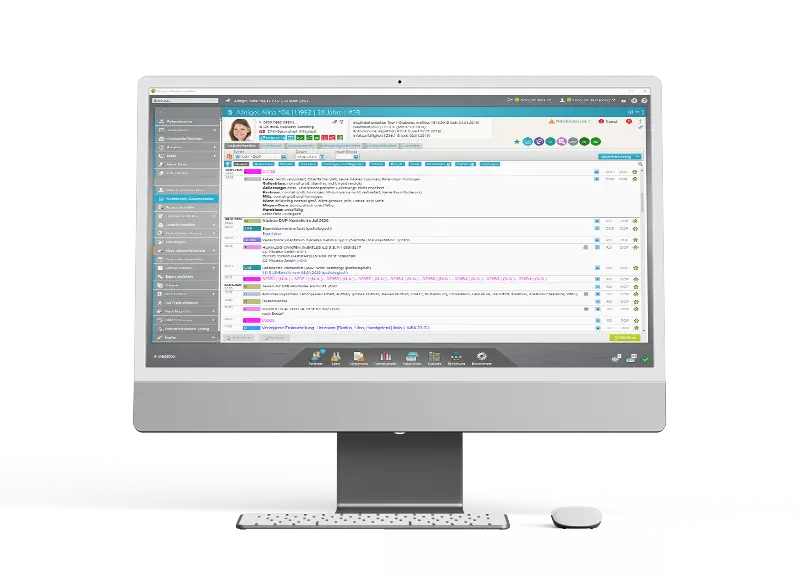
Get a complete overview of all relevant patient data, such as master data, duration of incapacity for work, GP and much more, using the Permanent section. The colour-coded buttons allow quick access to the relevant workspace – for example, clicking on the calendar icon opens all appointments for the patient in question.
Some of the status buttons change colour depending on the status, making it easier to see at a glance. For example, certain services that have not yet been billed can be highlighted in colour, or it can be shown whether the next DMP documentation is due.
The management of key figures, such as the chronic illness allowance, is also made easier by colour-coded markings. You can see at a glance whether the figure has already been entered or is still pending.
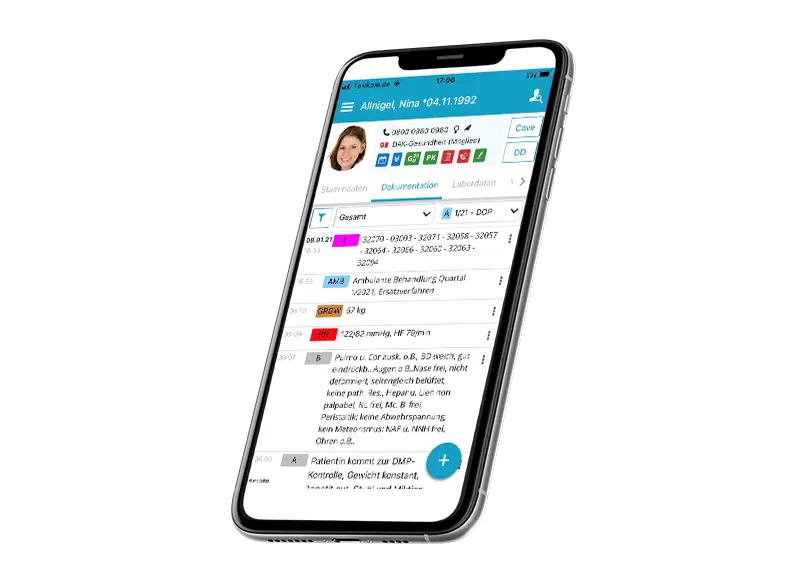
Here too, the company has developed a solution, as the software is also available as a mobile app. The ‘medatixx-mobile’ app provides access to all the software’s key functions whilst on the move.
Keep track of everything from anywhere with your practice software and connect as if you were in your office. With the app, you can create and edit practice data directly on your smartphone or tablet. You have access to all your patients’ information, their medical records (including full-text search) and the waiting room mode.
In addition, tasks, laboratory data, forms, medication plans, messages and important patient information are displayed in the permanent display on the medatixx mobile app. You can also view doctors’ letters and invoices, as well as plan routes to patients.
If you use x.impfen, the add-on module for vaccination management, your vaccination status will also be displayed. Naturally, all updates are automatically installed in the background within the app.
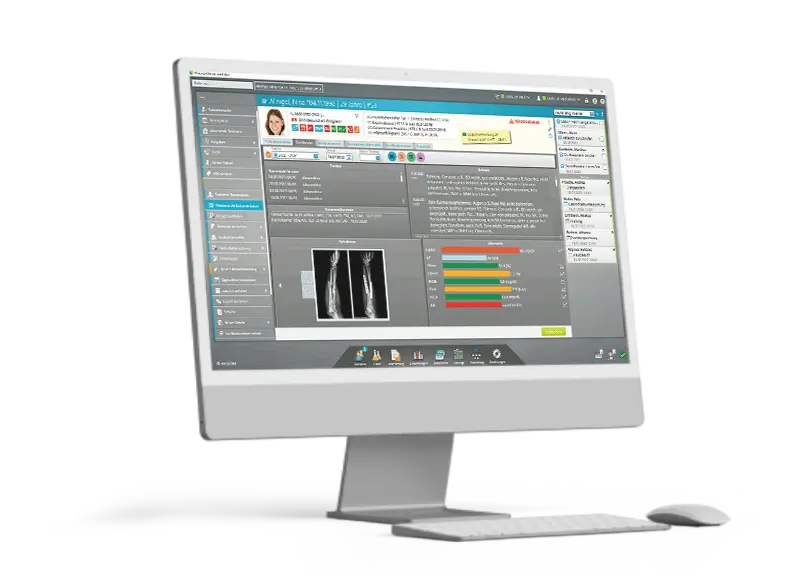
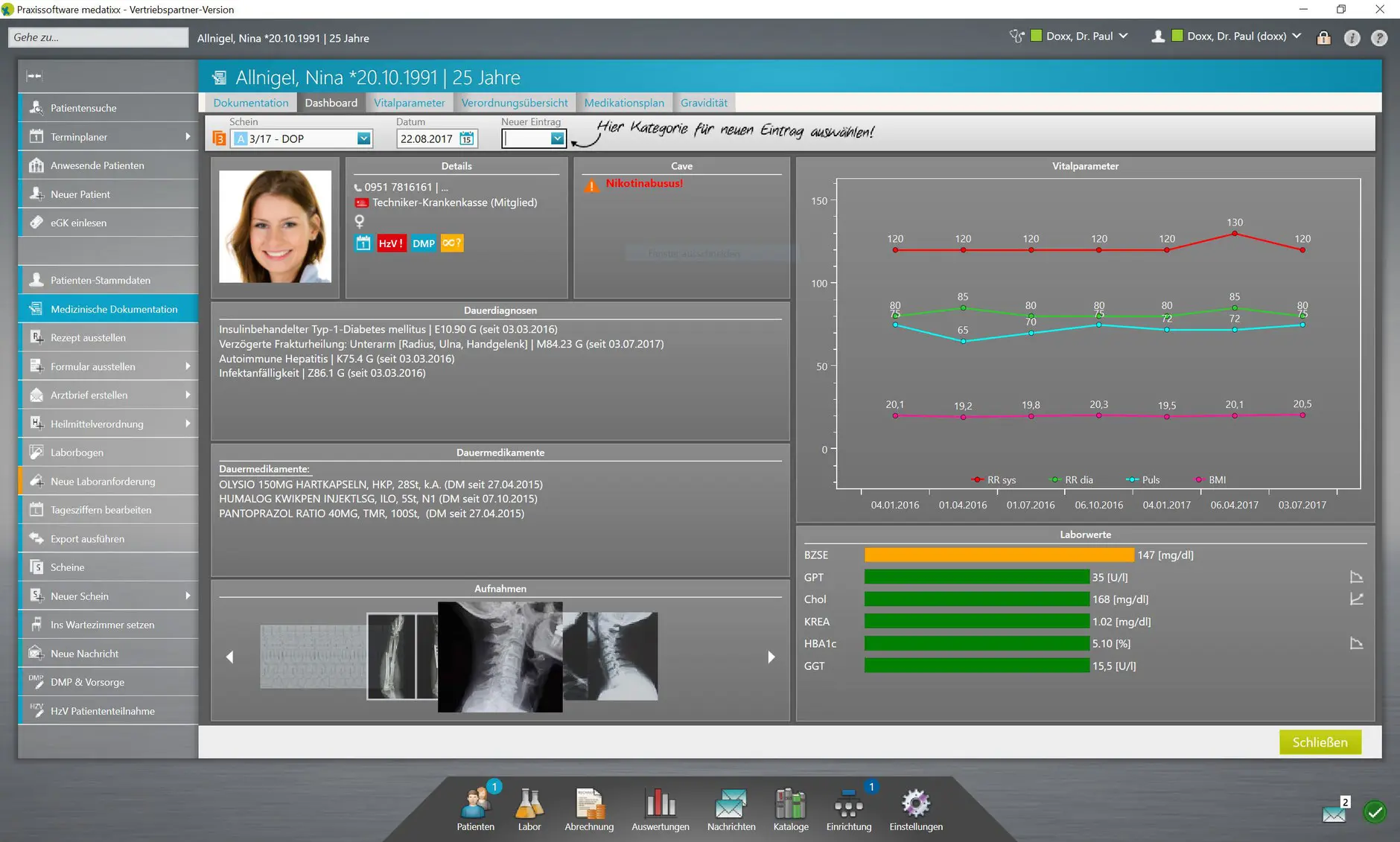
The dashboard is the application’s central control panel. It provides an overview of all key patient metrics.
The dashboard, which can be customised using drag-and-drop, and the fully customisable view are easy on the eye and efficient to work with – and adapt perfectly to the needs of your practice. Focus on your patients, not the software.
This makes it easy for your staff to get a quick overview of all the data, even when using two screens. Laboratory results are displayed using traffic light colours, allowing doctors to quickly see whether trends in vital signs and laboratory values are abnormal or within the normal range. Graphs clearly show the trends in the recorded values.
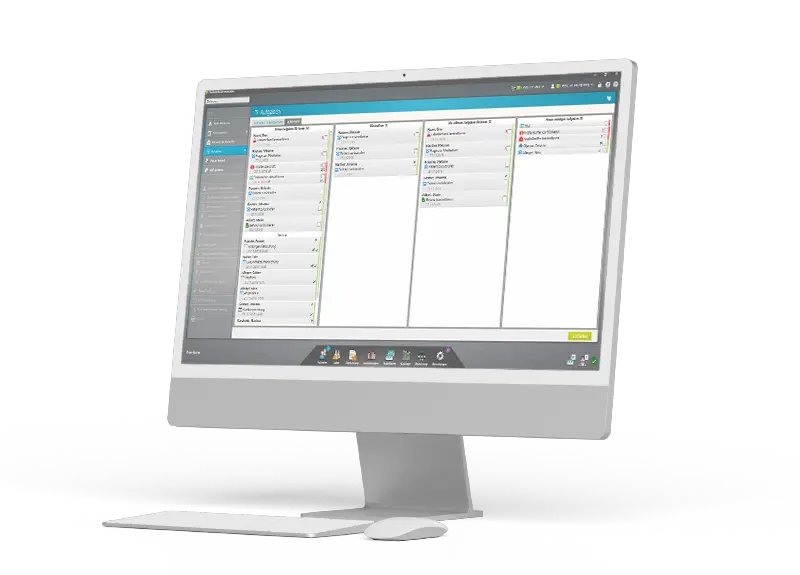
Task management helps practice teams to manage their time and organise relevant work. Link index card entries, such as laboratory results, to a task for the treating doctor, who can access the entry directly. In addition, checklists for routine tasks can be created, which are then worked through in sequence.
Appointment and waiting room entries are automatically added to the task lists to ensure that no tasks are overlooked. Thanks to the customisable task board, you always have a clear view of only the information that is relevant to you. Automatic notifications also ensure that you are always reminded of important tasks in good time.
It is also possible to view letters that have been scanned beforehand, for example using a smartphone. Of course, it is also possible to issue invoices.
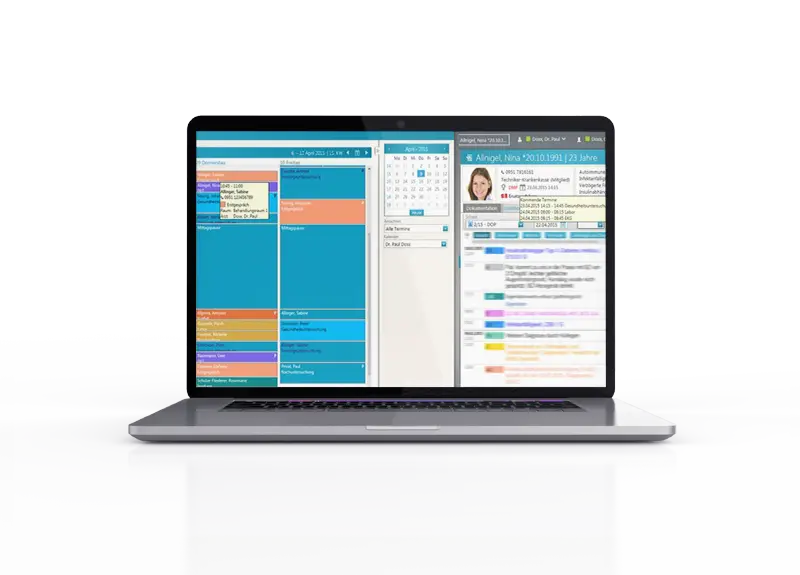
The practice software’s appointment scheduler enables doctors to organise their appointments efficiently. They can easily schedule, reschedule or cancel appointments. Appointment reminders can also be set up easily. Appointments are displayed in different colours, making them easy to distinguish.
The ability to display multiple calendars in any arrangement helps you to keep track of and organise practical tasks. You can also configure multiple calendars with any settings you wish, as the software has a modular design.
Appointments can be viewed directly on the patient’s file. To send appointments to the patient in a modern way, you can also generate a QR code.
All your patient then needs to do is scan the code using their smartphone. The appointment will then be added to their calendar.
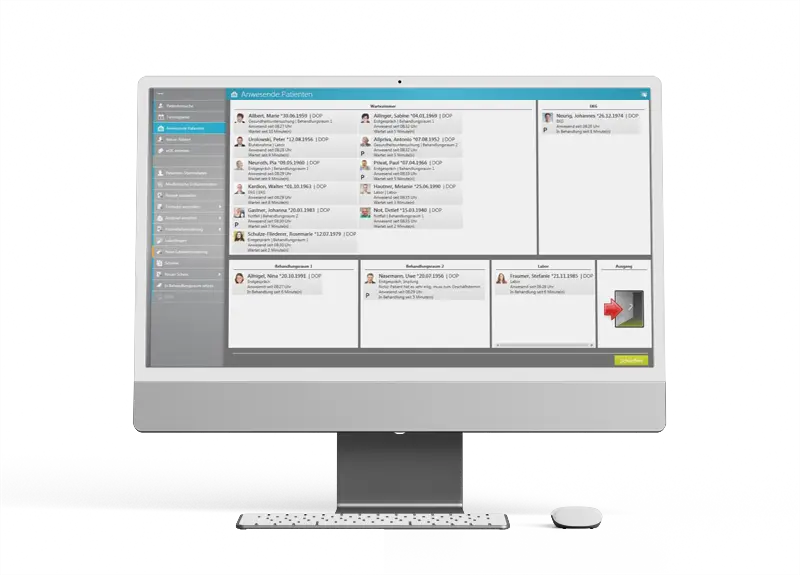
The waiting room module helps doctors manage their patients more effectively. They can track patients’ status and set priorities. It also allows patient data to be updated whilst patients are waiting.
The view of your virtual waiting room is customisable and shows you all the rooms in your practice. Simply use the drag-and-drop feature to move patients from the waiting room into a treatment room. Staffing your practice rooms has never been easier!
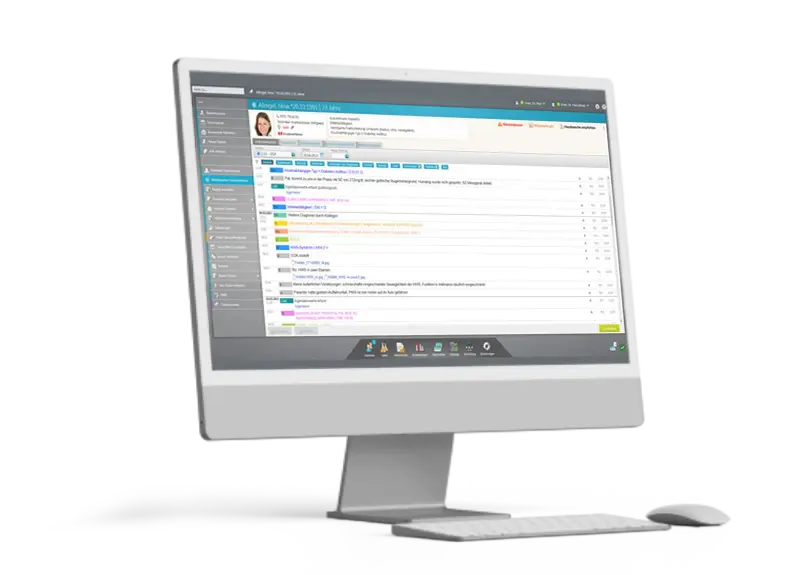
The patient record is the central element of the management system. Here, doctors can view and edit all relevant information about their patients. medatixx combines the organisation and selection of information, which can be customised using a filter. The display of key patient information can also be personalised and tailored entirely to your needs. Diagnoses and medication are always immediately visible, as is the patient’s current vaccination status.
From mid-2025, the medatixx-Copilot will support you round the clock in your day-to-day work — directly within your practice software. The application is included in the monthly software maintenance fee and is available to you at no extra cost. Whether you have questions about the practice software, specific functions or particular workflows, the Copilot responds in real time, with no waiting time. If an issue cannot be resolved immediately, it automatically creates a service ticket.
The ‘medatixx-Copilot’ draws on an extensive knowledge base comprising the practice software manuals, frequently asked support questions and much more.
medatixx-Copilot operates independently, using algorithms and machine learning. This enables targeted conversations and specific answers.
Whether you’re using your practice software directly or the ‘mein.medatixx’ customer portal, the ‘medatixx-Copilot’ is available to assist you directly, round the clock.
medatixx-Copilot processes only the data you enter in the chat window, in a secure environment.
If the medatixx-Copilot cannot provide an answer, it will forward your enquiry to a specialist in software support. They will get in touch with you as soon as possible.
We will provide you with a demo laptop featuring a fully functional version of medatixx for a limited period. Our practice consultant will deliver the laptop to your practice in person.
If your question isn’t listed here, please give us a call. We know the market for practice software inside out and will also let you know if something isn’t suitable.
The software makes it easy to manage patients’ master data. This ensures that doctors always have access to the latest patient information and can work quickly and efficiently.
Of course, it is possible to write to patients by post or email. Access to patient records is subject to strict data protection guidelines and is secured.
The practice software enables doctors to prescribe medication quickly and easily using the integrated prescription module. It also allows them to keep track of medication that has already been prescribed.
medatixx This is possible with both cloud-based and local data storage. You can configure your preferred settings at any time. All updates run automatically in the background, ensuring your practice continues to run smoothly. Thanks to local data storage, medatixx operates securely on your computer.
medatixx’s self-update feature allows the software to be updated automatically. The latest version of the software is automatically downloaded from the provider’s server and installed.
The advantage is that you don’t have to wait for a technician; instead, you can initiate the update yourself — whenever it suits your practice’s schedule.
Short contract terms and the ability to customise the application to suit your own needs are further advantages of the application. Modular extensions to your practice application can be added at any time.
As your sales partner, we are always on hand to answer any questions you may have over the phone, as we know the market for practice software and can offer you valuable advice. Ultimately, it is up to you to decide which additional modules you wish to use and pay for.
The practice software has a modular structure. Each add-on can be purchased separately — here’s what each one does.
Here you will find an overview of all the features of the ‘medatixx’ practice management software. Some of the apps and add-ons are available in the customer portal at mein.medatixx.de (opens in a new window) must be licensed in addition to the basic version.
This module is used to record and electronically bill the documentation of skin cancer screenings (eHKS) carried out by GPs and dermatologists, as well as the programme assessment forms for colorectal cancer and cervical cancer, in accordance with the oKFE guidelines. The questionnaires on quality assurance for hearing aid provision for adults and children, including the APHAB questionnaires, are also available. The documentation can be transmitted via KV-Connect, provided your KV supports this method of transmission.
We have integrated an intelligent similarity search into our practice software, medatixx, which makes it easier for you to find patients. This means that you can now also find names that have been entered incompletely. It doesn’t matter whether you enter the first name or surname, spell ‘Schmitt’ with ‘tt’ or ‘dt’, or use the date of birth for the search. The search function suggests relevant results as you type.
The practice software prints the forms for doctors registered with the KBV using the KBV-certified blank form printing process, provided that the KBV supplies the relevant templates. It is possible to create repeat forms and set up form templates for these forms.
(Indications: breast cancer, type 2 and type 1 diabetes mellitus, coronary heart disease, COPD, bronchial asthma) including submission of claims via KV-Connect
Make use of the free, deeply integrated word processor to easily create letters, medical reports and other documents, with patient data conveniently imported from the medical records. There is no need to spend money on additional word processing software.
Send and receive internal practice messages via the practice network and the ‘medatixx’ mobile app; receive external messages (Rote Hand Brief, update information, etc.); and keep track of all KV-Connect messages in a separate section.
View and edit catalogues (master data, e.g. for health insurance funds, services, etc.).
Configure devices such as printers across all systems at a single workstation.
With ‘medatixx mobile’ for iOS and Android, you can access patient master data, patient records and laboratory results via your smartphone or tablet. You can enter medical documentation such as medical history and findings using free text, plan your route to the patient’s location, and notify the patient by telephone or email. You can also access your practice’s appointment book and send and receive internal practice messages. Use ‘medatixx’ mobile on your practice’s Wi-Fi network or via a secure connection whilst on the move.
The customisable ‘Patients Present’ view shows you all the rooms in your practice. Here, you can easily move patients who are currently present using drag and drop – for example, from the waiting room to any treatment room. This means that with your practice software, medatixx – even if you’re using two screens – you always have a clear overview of which rooms are in use, including the patient’s photo and all key information about them.
With the ‘medatixx’ appointment planner, you can keep track of all your appointments. The ability to display multiple calendars with custom resource allocation (including the definition of working time profiles for doctors, staff and rooms) is just as much a given as the ability to customise your calendar: You can customise the views of the appointment calendar as you wish, ensuring you always see what’s important to you in any given situation. Even in the weekly and monthly views, colour-coding of appointment types and resources gives you a quick overview of upcoming tasks and available slots. The option to schedule recurring appointments makes booking appointments much easier for you. You can also view all appointments directly in the patient’s file via a tooltip. To conveniently send an appointment to a patient, a QR code can be generated instead of a paper appointment slip; this simply needs to be scanned using a smartphone. Once scanned, the patient will automatically find the appointment in their calendar.
ADT and NDT (as defined in the currently valid data set description) and BDT (xBDT version 2.8 or later)
Version 2.1
The Direct Contract Module enables you to participate in direct contracts easily and securely, and to settle them directly from your usual software environment without any additional administrative effort. The Direct Contract Module covers the management and settlement of the following direct contracts:
KV Schleswig-Holstein
KV Hamburg
KV Bremen
KV Hessen
Rhineland-Palatinate Health Insurance Fund
KV Baden-Württemberg
KV Bavaria
KV Berlin
KV Saarland
KV Saxony
Lower Saxony Medical Association
KV Westphalia-Lippe
KV North Rhine-Westphalia
Thuringia Medical Association
With mobile data access (including 10 GB of data), you can conveniently use the ‘medatixx’ practice software from home or whilst on the move, without having to set up a VPN or similar. Work via a secure connection from anywhere using medatixx, just as if you were in the practice.
The electronic doctor’s report (eArztbrief) facilitates the rapid exchange of medical information between the doctors treating a patient. The information is transmitted confidentially and in a legally binding manner via the Healthcare Communications System (KIM). Medical practices receive better remuneration for this than they do for sending documents by post or fax.
Use “x.archiv, powered by mediDOK” to archive medical images and documents in a patient-centred and efficient manner. With a modern user interface, deep integration with practice software and a flexible range of features, x.archiv offers the right archiving solution for every practice.
“x.onvid, powered by Patientus” connects doctors and patients via the internet. At a pre-arranged time, you meet your patients in the virtual waiting room, where you can, for example, view and discuss medical reports or documents together. As it is integrated into the practice software, no separate programme is required.
More and more patients are using apps on their smartphones to record health data. The x.patient patient service app, developed by medatixx and ratiopharm, is a special service offered by the doctor’s surgery to its patients, enabling them to exchange relevant data and information securely and quickly.
Professional vaccination management in the vaccination module. x.impfen is deeply integrated into the medatixx software via an interface. The patient’s vaccination status is displayed in the medical record and in the medatixx mobile app.
medatixx enables integration with the order-entry systems CyberLab, LabUniq, ixserv, AB+M and QuickCon.
What we are doing about this
We set up medatixx to match the way your practice operates — and transfer the data from your previous software when you switch. We clarify in advance which additional solutions are appropriate, not afterwards.
During normal operations, we’re the first people you should call: if you have any questions about how to use the system, at the start of each quarter, and whenever there’s a rush.
Systemhaus Bergholz is an authorised medatixxservice partner. We’re based in Limbach in the Vogtland region — if you’re having any trouble, give us a call here rather than being put on hold.
Make an enquiryBook online – you will be redirected to Microsoft Bookings.
Book an appointment (opens in a new window)The direct line. Available Mon–Fri 08:00–18:00.
+49 3765 386470On-screen help — load the programme, say the number.
Start remote maintenance (opens in a new window)Please briefly describe your enquiry — we’ll get back to you.
Send an enquiry